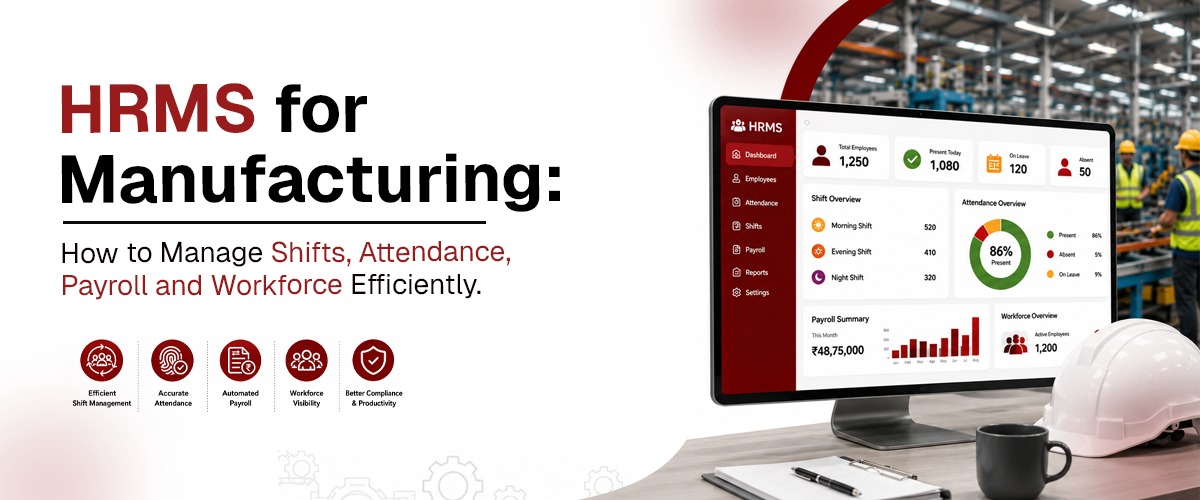
HRMS for Manufacturing: How to Manage Shifts, Attendance, Payroll and Workforce Efficiently
Every manufacturing company eventually asks the same question: how do we actually run shifts, attendance, and payroll without it eating up half of HR's week? The answer isn't a single tool or a single fix — it's a sequence of decisions that, done right, turn manufacturing workforce management from a monthly scramble into something that runs quietly in the background.
Here's a practical, step-by-step breakdown of how to manage shifts, attendance, and payroll efficiently in a manufacturing setup — and where a platform like Pletox HRMS fits into each step.
Step 1: Map Your Shift Patterns Before Choosing Software
Before evaluating any HR tool, get clear on what your actual shift structure looks like:
- How many distinct shifts run in a day — two, three, more?
- Are shifts fixed, rotational, or a mix depending on department?
- Do different production lines or departments run different patterns?
- How often does the roster change — weekly, monthly, based on demand?
This mapping matters because it determines what kind of attendance and payroll automation you actually need. A company running one fixed day shift has very different requirements from one running three rotating shifts across multiple departments.
Step 2: Set Up Attendance That Matches the Factory Floor, Not an Office
Once shift patterns are clear, the next step is choosing an attendance method that works for people who aren't sitting at desks. Options typically include:
- App-based check-in for supervisors and office-based staff
- Biometric devices for fixed entry points
- Kiosk-based check-in for high-volume, contactless attendance — Pletox's Self-Service Kiosk uses face recognition, so hundreds of workers can check in quickly without shared devices or queues
The goal at this step is accuracy without creating bottlenecks at shift change — attendance management software built for manufacturing should support all three methods depending on where and how your workforce clocks in.
Step 3: Automate Overtime and Loss-of-Pay Calculation
This is usually where manual processes break down fastest. Overtime and loss-of-pay rules in manufacturing are rarely simple — they depend on shift type, department policy, and sometimes worker category (permanent vs. contract). Doing this by hand every month is where most payroll errors originate.
The fix is configuring these rules once, inside the system, so they apply automatically every pay cycle. Pletox Payroll lets you set shift-specific overtime and loss-of-pay rules upfront, so HR isn't recalculating the same logic manually every month.
Step 4: Separate Permanent and Contract Workforce Tracking
Manufacturing rarely runs on a single type of employment. Permanent staff, contract labor, and sometimes seasonal workers all need to be tracked — but with different salary structures and compliance obligations.
Set this up as two (or more) clearly separated categories inside your HR system from day one, rather than trying to force everyone into one worker type and adjusting manually later. Pletox's HR and employee management module handles this separation natively, keeping payroll and compliance accurate for each category.
Step 5: Build Statutory Compliance Into the Process, Not After It
Factory Act registers, PF, ESI, and minimum wage compliance shouldn't be a separate task HR does after payroll runs — they should be generated automatically as part of it. This step is about configuring your system once so that:
- Attendance and wage registers are maintained digitally, in the correct format
- PF, ESI, and TDS deductions calculate automatically based on current rules
- Records are ready instantly if there's an inspection, instead of being assembled manually
This is one of the biggest time-savers in manufacturing HR — compliance becomes a byproduct of normal operations instead of an extra project every month.
Step 6: Get Visibility Across Shifts and Locations
Once the day-to-day mechanics are automated, the final step is visibility — being able to see, at a glance, who's working, on which shift, at which location, without calling supervisors or waiting for manual reports. For manufacturers with multiple plants, location tracking tools extend this visibility to field and site-based staff as well, giving leadership one dashboard instead of scattered updates from each site.
Step 7: Layer in Performance and Hiring Once the Basics Are Solid
With shifts, attendance, payroll, and compliance running smoothly, manufacturing HR teams can shift attention to longer-term workforce management — tracking productivity with performance management tools, and managing high-volume factory hiring through recruitment management tools, instead of spending most of their time on operational firefighting.
Putting It All Together
Managing shifts, attendance, and payroll efficiently in manufacturing isn't about finding one silver-bullet feature — it's about getting each of these steps right, in a system built to handle manufacturing's specific complexity from the start. That's the practical role Pletox plays: turning this seven-step process into something that runs largely on its own, so HR teams spend their time managing people instead of managing spreadsheets.
Frequently Asked Questions
1. What's the first step in managing manufacturing shifts efficiently?
Start by mapping your actual shift patterns — how many shifts run, whether they're fixed or rotational, and how often they change — before choosing or configuring your HR software.
2. How can manufacturing companies reduce payroll errors?
By configuring shift-specific overtime and loss-of-pay rules once inside the payroll system, so calculations happen automatically every cycle instead of being recalculated manually each month.
3. How does Pletox handle attendance for factory floor workers?
Pletox supports app-based, biometric, and kiosk-based attendance, including a contactless face-recognition Self-Service Kiosk designed for high-volume factory-floor check-ins.
4. Can Pletox manage payroll for both permanent and contract workers?
Yes. Pletox tracks permanent and contract workers as separate categories, applying the correct salary structure and compliance rules to each automatically.
5. Does Pletox help with Factory Act, PF, and ESI compliance? Yes. Pletox generates statutory registers and calculates PF, ESI, and TDS deductions automatically as part of routine payroll processing, rather than as a separate manual task.
Ready to put this workflow in place for your manufacturing business? Explore Pletox HRMS or book a free demo today.