What's New in Pletox 3.0: Latest Features to Simplify HR, Payroll & Workforce Management
Pletox 3.0 is the latest update to the Pletox HRMS, built to make everyday HR and payroll work simpler for businesses of every size. It brings new features across payroll, attendance, leave, security, biometric devices, free tools and learning. Each one is designed to save your team time, reduce errors and give you more control. Below, we explain every feature in plain words, who will benefit from it, and how it works in real life.
Part 1: Run Your Whole Business from One Place
1. Global Payroll: Pay Your Team Anywhere
Business no longer stops at the border. If some of your team works outside India, you can pay them from the same Pletox account as everyone else. No second system, no separate spreadsheet.
Who will love it: IT and software companies, design agencies, consulting firms and any business with remote or international staff.
Example: A software company in Pune has 60 employees in India and 4 developers working from other countries. Before, the HR manager ran two separate payroll processes. Now one pay run covers everyone.
How to use it: Add your overseas team members to Pletox and include them in your regular payroll cycle. See how Payroll & Salary Rules work in Pletox.
2. Pletox AI: A Smart Helper for Your HR Team
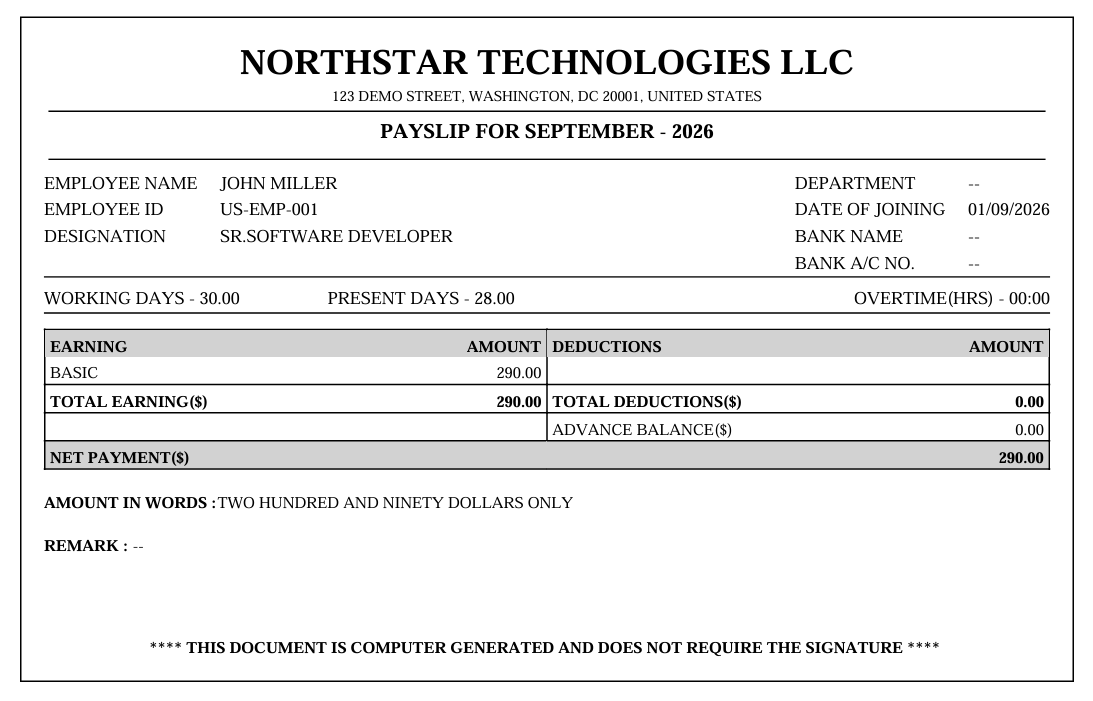
AI is now part of Pletox. It's built to speed up the repetitive HR and payroll work that eats your team's day. Less time on routine tasks means more time on the things that need a human, like hiring, training and keeping people happy.
Who will love it: Any HR team that feels buried in routine work, from a 20-person startup to a 2,000-person company.
Example: An HR executive at a retail chain who used to spend hours on routine questions and checks can now finish them faster and spend that time on recruitment.
3. Sales & Billing: Leads, Quotes, Orders and Invoices in One Place
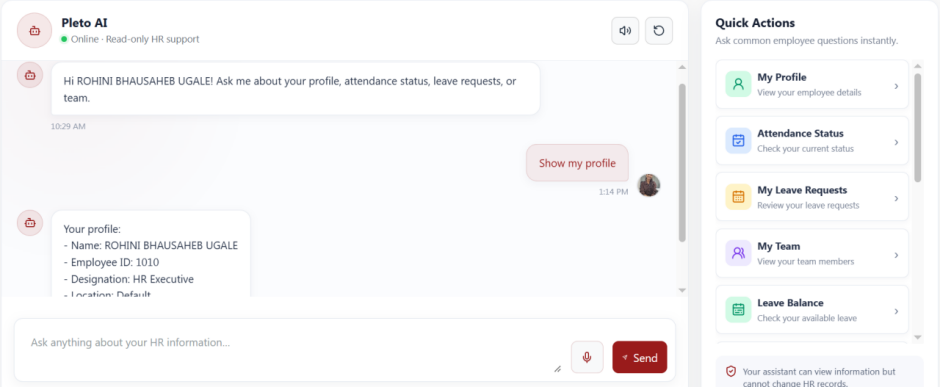
Pletox now helps you handle your sales side too. Track enquiries, send quotes, confirm orders and raise invoices, all without leaving the platform.
Who will love it: Manufacturers, distributors, service providers and small businesses that want fewer tools to juggle.
Example: A packaging manufacturer gets an enquiry from a new customer. The sales team records the lead, sends a quote, converts it to an order and raises the invoice, all in Pletox.
How to use it: Add the lead, create the quote, and move it forward step by step until it becomes an invoice.
Part 2: Smarter Attendance
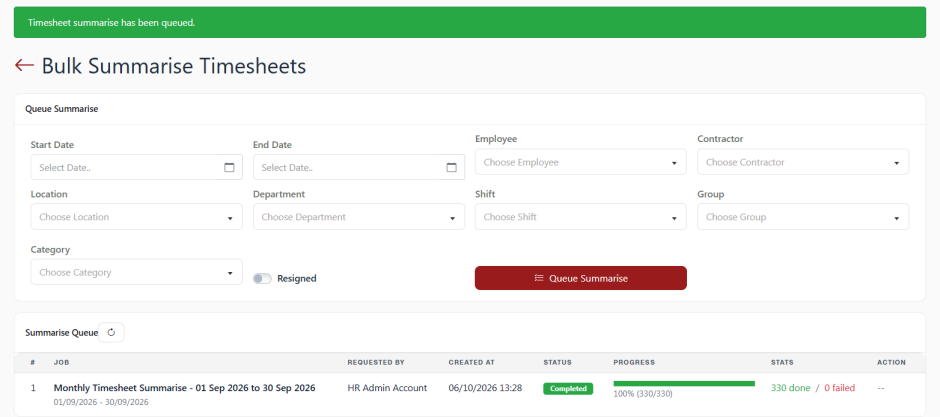
4. Bulk Attendance Summaries: Hundreds of Summaries, One Request
Preparing attendance summaries one person at a time is slow. With this feature you ask Pletox to prepare them for many employees together.
Who will love it: Factories, hospitals, schools, security agencies and any business with a large team.
Example: A manufacturing plant with 400 workers needs summaries before payroll. HR makes one bulk request instead of 400 separate ones, and the summaries are ready for review.
How to use it: Select the employees or period and request the summaries together. Learn more about Attendance & Shifts.
5. Bulk Override: Fix Many Records in One Go
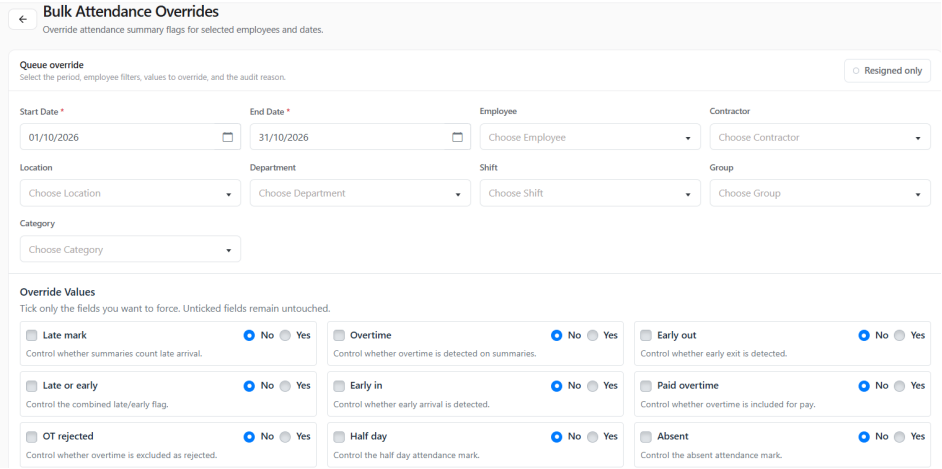
Sometimes things go wrong for everybody at once: a transport strike, a power cut, a flooded road. Bulk Override lets HR change late marks, overtime and summary flags for many employees in one step.
Who will love it: Hospitals, factories, offices and any team affected by an event outside their control.
Example: Heavy rain delays 150 staff at a hospital. Instead of editing 150 records, HR removes the late marks for all of them in one action.
6. Attendance Lock: Final Means Final
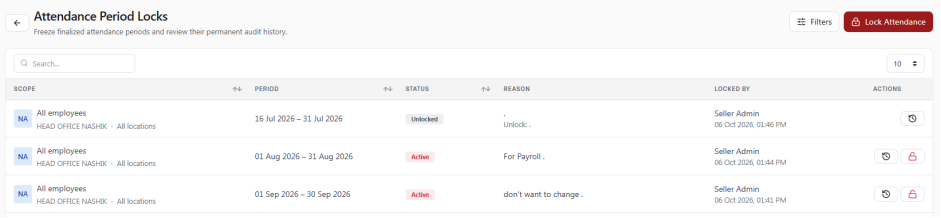
Once a period's attendance is approved, you can lock it. After that, it can't be changed by accident, and a permanent history shows what was done and when.
Who will love it: Finance teams, HR heads and any company that wants payroll built on numbers that stay put.
Example: A manufacturing company approves September attendance on 5 October and locks it. Payroll runs on those numbers, and if a worker asks later, the history clearly shows what happened.
How to use it: After final approval, lock the period.
7. Auto Shift Mapper / Policy: Right Shift, Automatically
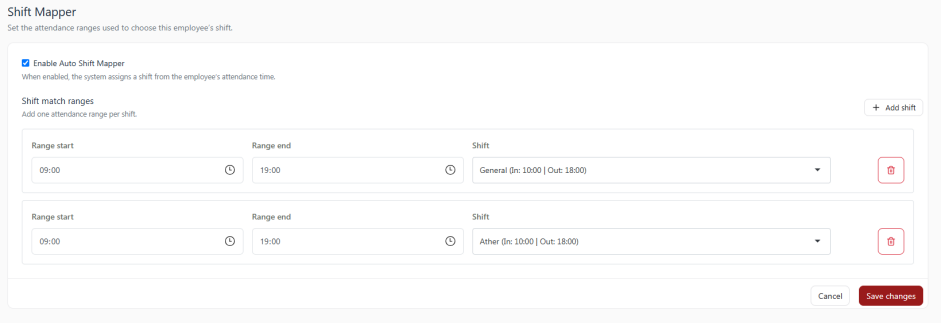
Instead of someone assigning shifts to workers by hand, Pletox can match employees to the correct shift based on a policy you set.
Who will love it: Factories, warehouses, hospitals, hotels and any business running more than one shift.
Example: A factory has morning, afternoon and night shifts. Workers are mapped to the right shift automatically, so supervisors don't spend time on it every day. See how Pletox helps manufacturing companies.
8. Clock-Out Restriction: No More Accidental Early Clock-Outs
Set a minimum time an employee must work before they can clock out. If the rule is 60 minutes and someone clocks in at 9:00 AM, they can't clock out before 10:00 AM.
Who will love it: Offices, retail stores, factories and clinics where a wrong clock-out can disturb attendance records.
Example: A retail employee taps "clock out" by mistake five minutes after arriving. With the restriction on, the mistake can't happen, and their attendance stays correct.
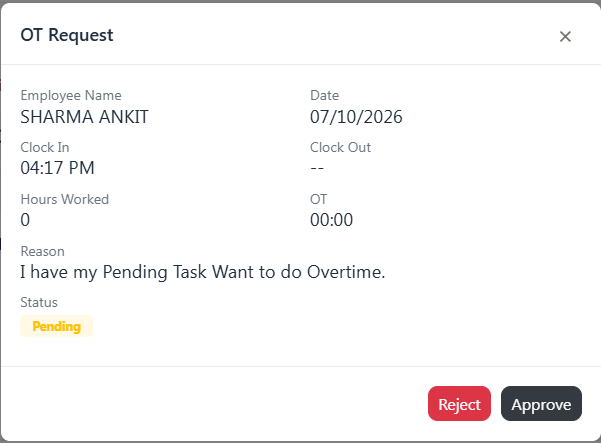
9. Overtime Approval Flow: Pay Overtime Only After It's Approved
Extra hours should be checked before they are paid. With Overtime Approval, the employee requests overtime, the manager approves it, and only then does it go into payroll.
Who will love it: Factories, hospitals, logistics companies and any business that pays overtime.
Example: A nurse works two extra hours covering for a colleague. She requests overtime, the department head approves it, and it appears in her salary. Everyone knows how it got there.
How to use it: Switch on OT Approval, and every overtime claim will follow the request → approval → payroll path.
Part 3: Smarter Leave Management
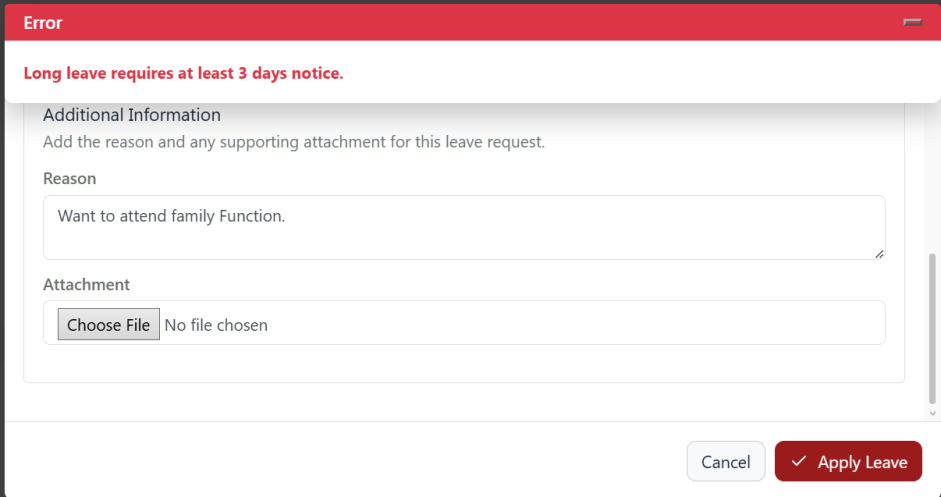
10. Leave Timeline Rules: Longer Leave Needs More Notice
A one-day leave and a week-long leave should not be treated the same way. This feature lets you decide how much notice is needed depending on the number of leave days.
Example setup:
- 1-2 days of leave: 1 day's notice
- 3-5 days of leave: 3 days' notice
- 6 or more days: 5 days' notice
Who will love it: Hospitals, schools and manufacturing plants, where managers need time to arrange cover.
Example: A school knows that a teacher taking a week off needs a substitute arranged. With the 5-day notice rule, the principal has time to plan instead of finding out at the last minute. Explore Pletox Leave Management.
11. Short Leave Policy: Two Hours Off Without Losing a Day
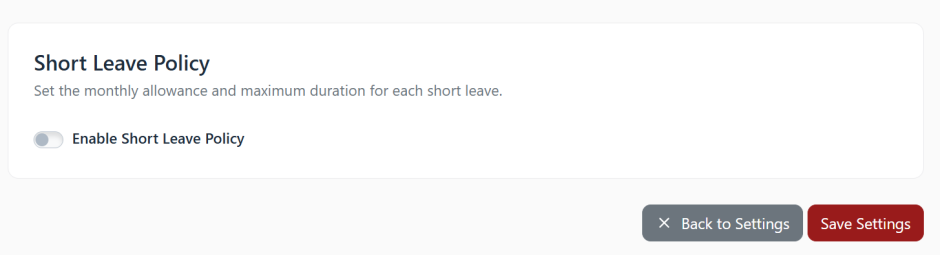
Life doesn't always fit around work hours. A bank visit, a school pickup, a quick doctor appointment. Short Leave lets employees take a couple of hours off without losing a full day's pay. You can run it in two ways:
- Manual mode: the employee requests it and the manager approves.
- Auto mode: eligible short leave is adjusted automatically after the shift, based on the allowance you set.
Example: Your policy gives 2 short leaves a month, up to 2 hours each. An employee leaves 2 hours early once and uses another 2 hours later in the month. The allowance resets with the next salary cycle, and unused short leave doesn't carry forward.
Extra benefit: Short leave can cover an eligible late arrival or half-day deduction, while actual worked hours and overtime stay as they are.
Who will love it: Offices, schools, hospitals and retail teams where small personal needs come up often.
12. Cancel Request: Change of Plans? No Problem
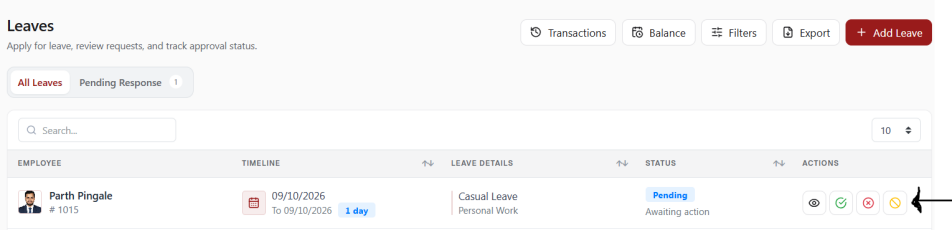
Employees can now cancel a request they have already submitted. They can do it themselves through Employee Self-Service.
Who will love it: Every employee and every HR team that has had to fix a withdrawn request.
Example: A hospital technician applies for three days of leave, but the family trip is postponed. He cancels the request himself and doesn't need to message HR.
Part 4: Stronger Control and Security
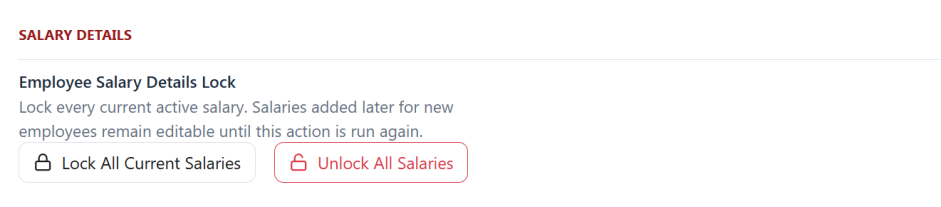
13. Salary Details Lock: Protect Your Salary Data
Lock the current salary details of all active employees so they can't be changed by mistake or without permission. Salaries of new joiners stay editable until you lock again.
Who will love it: Finance heads, business owners and HR managers who handle sensitive pay information.
Example: A manufacturing company locks all salaries before running payroll, so no one can change a figure halfway through the process. A new joiner added next week can still have their salary set up.
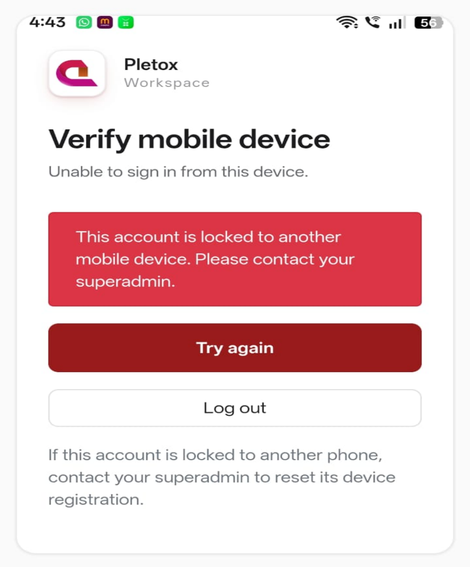
14. Mobile Device Lock: One Employee, One Phone
Super Admins can tie each employee to their registered mobile phone. Attendance can't be marked from someone else's device. If an employee gets a new phone, the admin resets the device from their profile. Browser login isn't affected.
Who will love it: Companies with field staff, sales teams, security guards and site workers who mark attendance by phone.
Example: A security agency wants to make sure each guard marks attendance from their own phone. With Mobile Device Lock, a colleague can't mark it for them from another device.
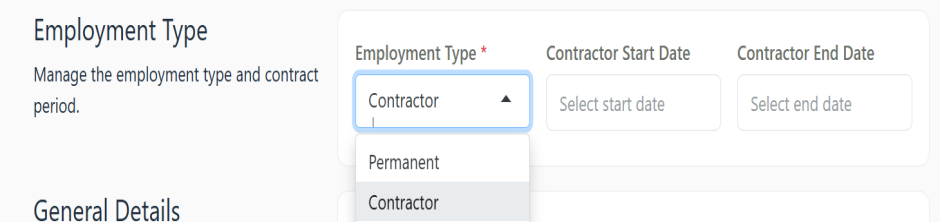
15. Employee & Contractor Management: Keep Everyone Organized
Pletox now clearly separates permanent employees from contractors. For contractors, you can record the start date, end date and supporting documents right in their profile. Read more about People & Onboarding.
Who will love it: Construction companies, factories, hospitals and IT firms that work with contract staff.
Example: A construction firm has 40 contract workers on different agreements. HR can see whose contract ends soon and renew or close it on time, with the documents in the same profile.
Part 5: More Biometric Choices
16. New Biometric Integrations: eSSL and eTimeOffice
Pletox earlier worked with Realtime biometric devices only. It now also supports eSSL and eTimeOffice.
Who will love it: Factories, schools, hospitals and offices that already use these devices.
Example: A school uses an eSSL fingerprint machine at the gate. Instead of replacing it, they connect it to Pletox and keep using the same device.
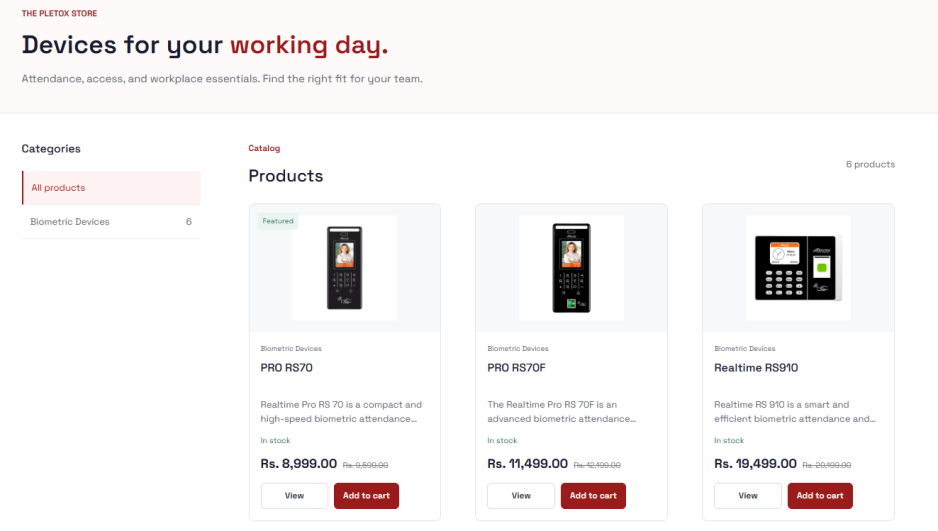
17. Biometric Products in the Pletox Store: Find and Buy in One Place
The Pletox Store website now lists biometric products. You can view them and buy online. Visit the Pletox Store.
Who will love it: Businesses setting up attendance for the first time, or adding devices at a new branch.
Example: A company opening a second factory unit needs new biometric devices. They browse the Pletox Store, choose the products and buy them from the same place they get their HR software.
Free HR Tools (No Sign-Up Needed)
You don't need an account to use any of these. Open the tool, fill in the details and use it right away. See all of them on the Pletox Free Tools page.
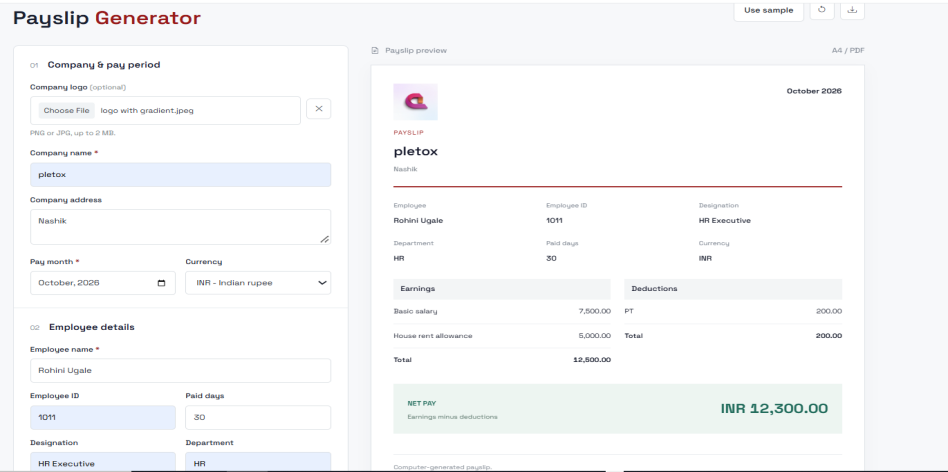
18. Payslip Generator: A Clear Salary Slip, Ready When You Need It
Create a clean salary slip for an employee without any payroll software. Try the Payslip Generator.
Who will love it: Small businesses, clinics, shops and start-ups that haven't moved to payroll software yet.
Example: The owner of a small clinic needs to give her receptionist a monthly payslip. She makes one in a few minutes instead of building it in a spreadsheet.
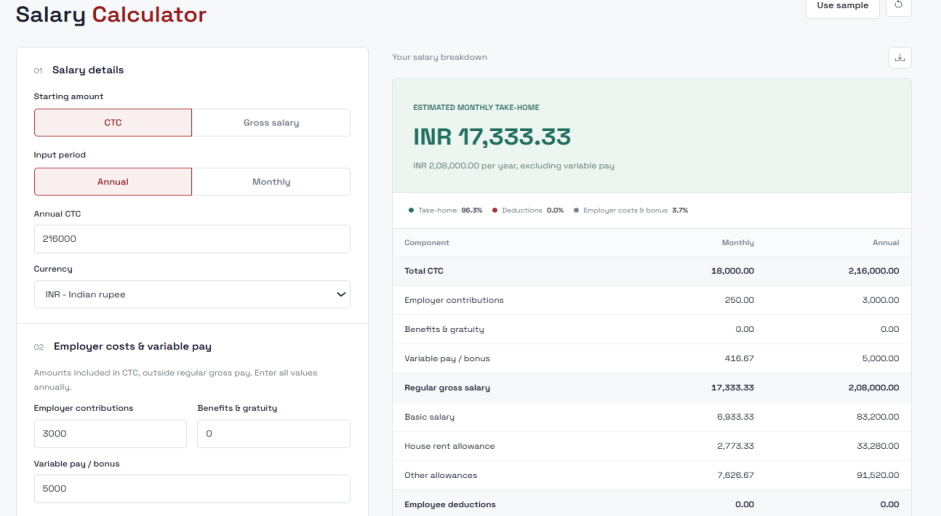
19. Salary Calculator: Know the Take-Home Before You Decide
Break a salary into its parts and see what the employee actually takes home. Try the Salary Calculator.
Who will love it: HR executives preparing offers, candidates comparing jobs and owners planning salaries.
Example: A candidate is offered ₹6,00,000 a year and wants to know what reaches his bank account each month. The calculator shows the answer, so there's no confusion on joining day.
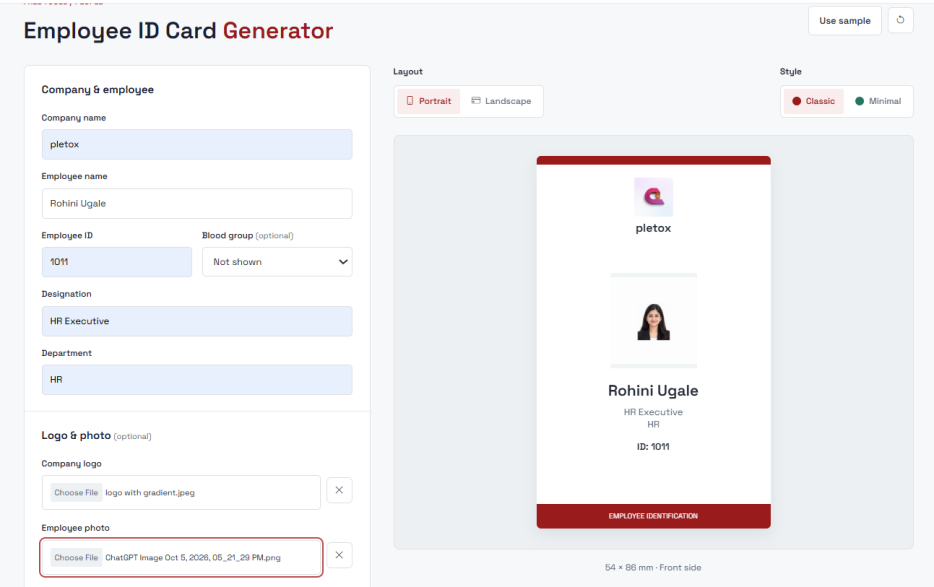
20. Employee ID Card Generator: New Employee? New ID Card.
Create a professional employee ID card in minutes, without hiring a designer. Add your company logo, employee photo, name and designation, choose portrait or landscape, and download a print-ready PDF. Try the Employee ID Card Generator.
Who will love it: Schools, hospitals, factories and growing companies that onboard people often.
Example: A new nurse joins a hospital on Monday morning and has her ID card the same day, which makes her first day feel organized.
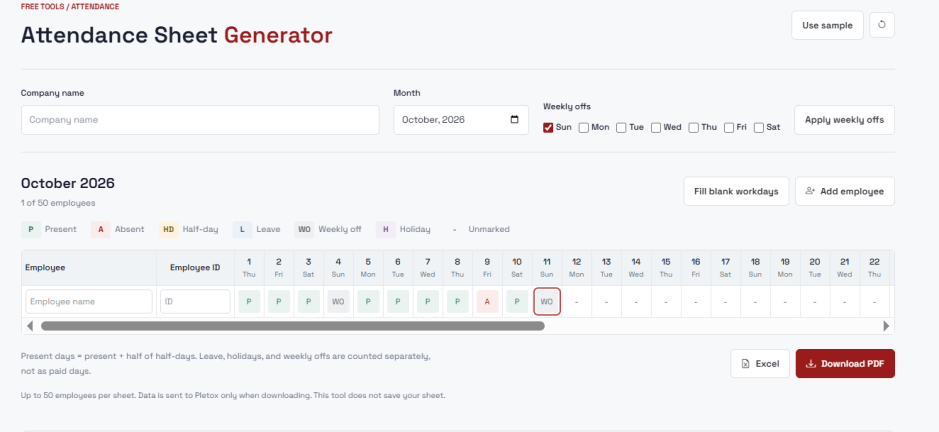
21. Attendance Sheet Generator: Stop Building Sheets by Hand
Generate a monthly attendance sheet with daily statuses, weekly offs and holidays, and download it as Excel or PDF. Try the Attendance Sheet Generator.
Who will love it: Small teams, construction sites, event crews and any business that still marks attendance on paper.
Example: A site supervisor needs a sheet for 25 workers each month. He generates it in minutes, prints it and fills it in daily, instead of ruling lines and typing names again.
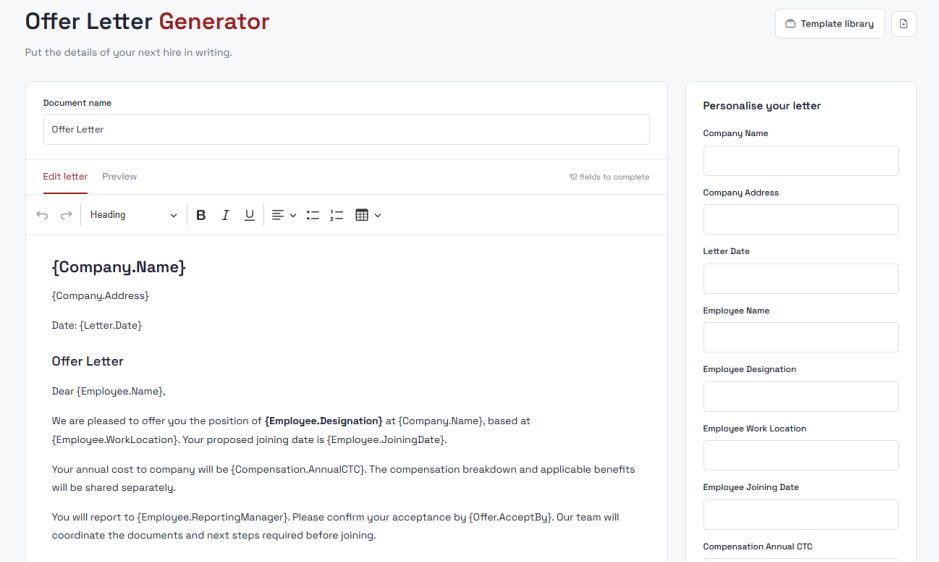
22. Offer Letter Generator: Found the Right Candidate? Make It Official Fast.
Get an offer letter ready in minutes. Fill in the role, salary, joining date and acceptance deadline, preview the letter and download it as a PDF. Try the Offer Letter Generator.
Who will love it: HR teams that hire regularly and want to move quickly before a candidate accepts another offer.
Example: A hotel manager chooses a new chef after interviews on Friday. The offer letter is ready the same afternoon.
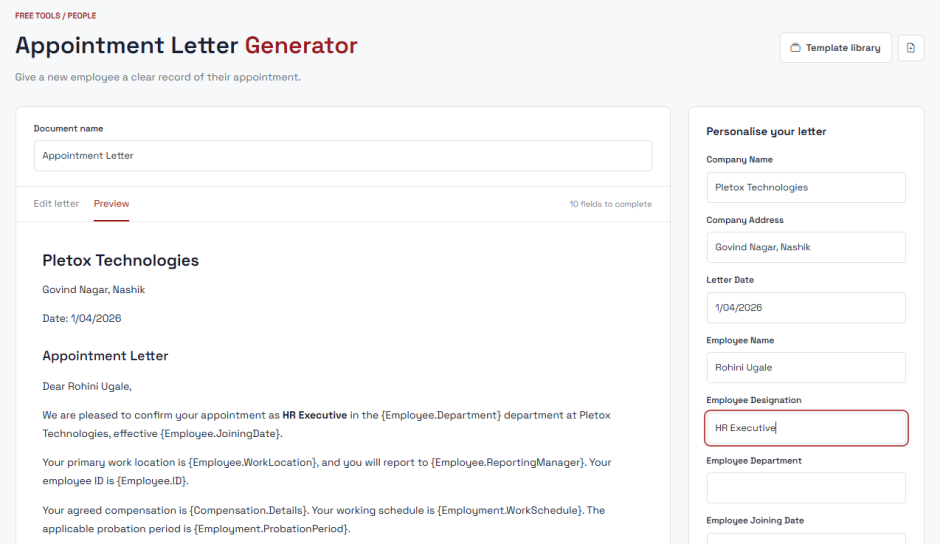
23. Appointment Letter Generator: They Said Yes. Now Make It Official.
Create an appointment letter without starting from scratch. Try the Appointment Letter Generator.
Who will love it: Every business onboarding new staff, from five operators at a factory to a new batch of trainees.
Example: A manufacturing unit hires five operators on the 1st of the month. Each gets a proper appointment letter on joining day, without HR retyping the same document five times.
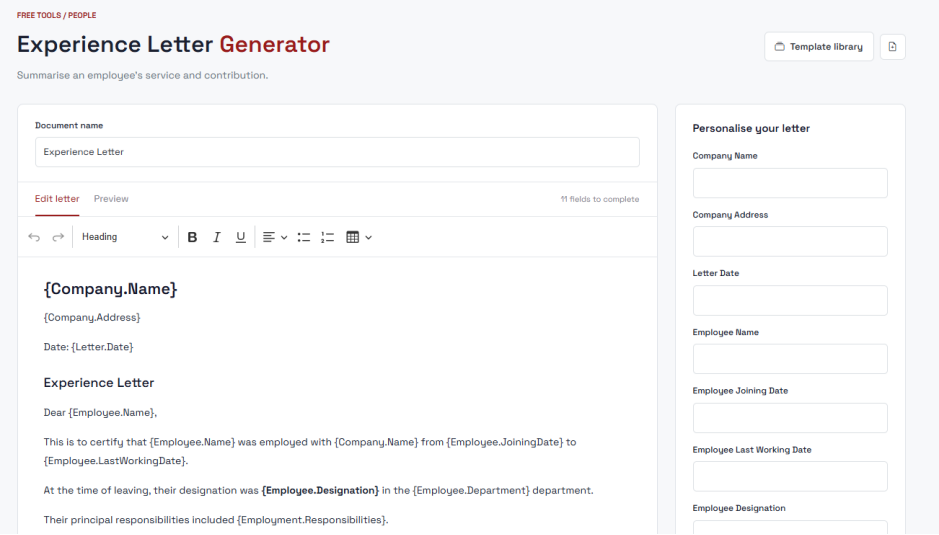
24. Experience Letter Generator: Give Their Experience in Writing
A person's time with you deserves to be recorded, so create an experience letter they can take to their next job.Try the Experience Letter Generator.
Who will love it: HR teams that get regular requests from former employees.
Example: A former employee asks for an experience letter for her new job. HR creates it the same day, and she isn't left waiting weeks.
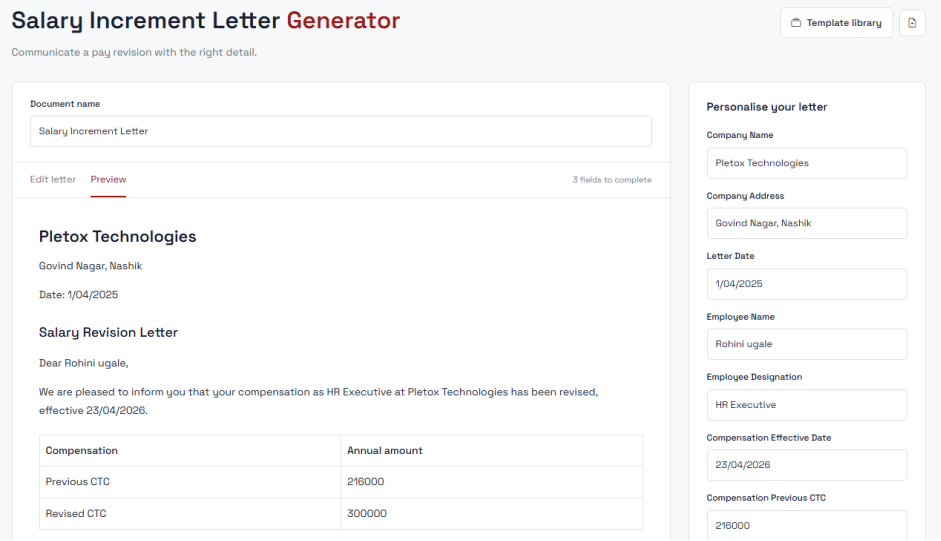
25. Salary Increment Letter Generator: Good Work Deserves Good News
Turn an increment into an official letter that tells the employee about their raise. Try the Salary Increment Letter Generator.
Who will love it: HR teams and managers running yearly appraisals.
Example: After reviews, a company gives every employee a clear, formal letter with the new salary. It feels like proper recognition and avoids mix-ups about the figure.
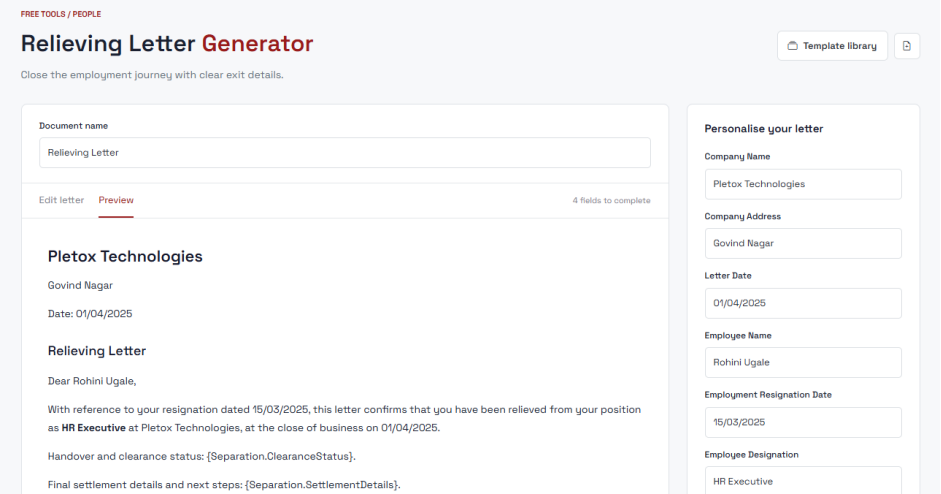
26. Relieving Letter Generator: Smooth Exits Matter Too
Create a professional relieving letter in minutes for employees leaving the company.Try the Relieving Letter Generator.
Who will love it: HR teams handling resignations.
Example: An employee has finished her notice period and needs a relieving letter to join her next company. HR makes it quickly, so a good exit stays a good exit.
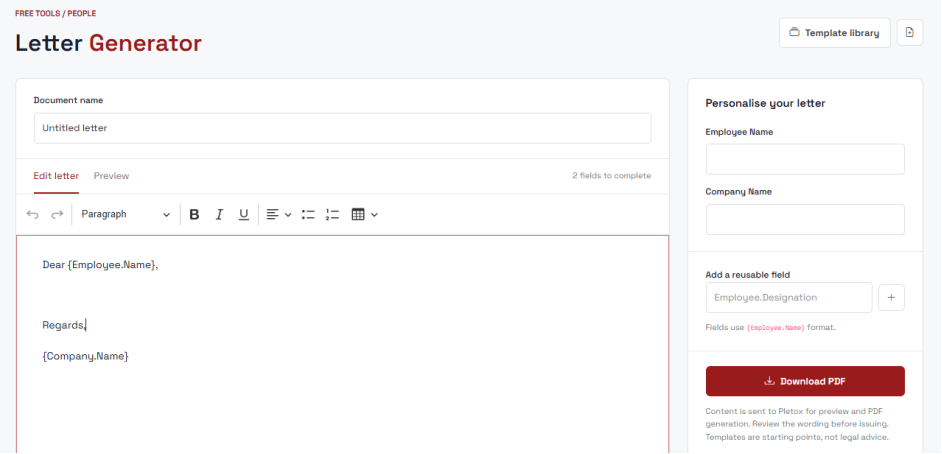
27. General Letter Generator: For the Letter That Doesn't Fit a Template
Not every letter is an offer or a relieving letter. Use the General Letter Generator when you need a letter that doesn't fit a template, and write it your way.
Try the General Letter Generator.
Who will love it: HR teams and business owners who need warning letters, notices, confirmations or other official letters.
Example: A factory manager needs to send a formal notice about a change in shift timings. No template matches, so he writes it his own way and still gets a professional-looking letter.
Learn as You Go
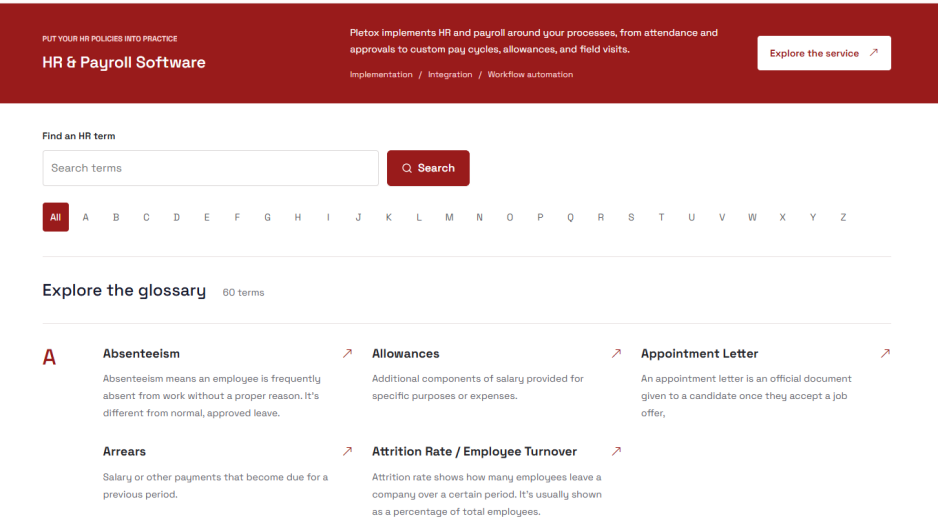
28. HR Glossary: HR Terms in Plain Language
We've added an HR Glossary to the Pletox website. It explains HR terms in clear, practical language, with no jargon.Explore the HR Glossary.
Who will love it: New HR executives, small business owners who handle HR themselves, students and anyone who wants to understand HR terms quickly.
Example: A shop owner hires her first employee and hears the term "notice period" for the first time. She opens the glossary, reads the explanation in simple words and gets on with her day.
Pletox 3.0 at a Glance
Whatever your industry, Pletox 3.0 is designed to save you time and give you control:
- Healthcare: bulk summaries, short leave, overtime approval and contractor management
- Manufacturing: shift mapping, attendance lock, bulk override and biometric support
- IT and services: global payroll, Pletox AI and salary lock
- Schools and offices: leave timeline rules, short leave and the free letter tools
- Field and security teams: mobile device lock and cancel request
Frequently Asked Questions
1. What is Pletox 3.0?
Pletox 3.0 is the latest update to the Pletox HRMS. It adds global payroll, Pletox AI, sales and billing, smarter attendance and leave rules, stronger security, more biometric support and free HR tools.
2. Can I run payroll for employees outside India with Pletox?
Yes. With Global Payroll, you can pay team members in other countries from the same account. Learn more about Payroll & Salary Rules.
3. How does overtime approval work?
The employee requests overtime, the manager approves it, and only approved overtime goes into payroll. That gives finance clear numbers and fewer disputes.
4. Which biometric devices does Pletox support?
Pletox now supports Realtime, eSSL and eTimeOffice devices, so you can often keep the devices you already own. New devices are also listed in the Pletox Store.
5. Can attendance be changed after it has been locked?
No. Once a period is locked, it can't be changed by accident, and a permanent history shows what was done. See Attendance & Shifts.
6. Are the Pletox free tools really free? Do I need to sign up?
Yes, they're free and need no sign-up. You can use the payslip, salary, ID card, attendance sheet and letter tools right away from the Free Tools page.
7. What is Short Leave, and how is it different from normal leave?
Short Leave lets employees take a couple of hours off without losing a full day's pay, for example 2 hours, up to 2 times a month. The allowance resets each salary cycle, and unused short leave doesn't carry forward. See Leave Management.
8. Is Pletox suitable for factories and hospitals?
Yes. Features like shift mapping, bulk summaries, overtime approval and attendance lock suit teams that run shifts and have large workforces. Read how Pletox supports manufacturing companies, and our guide on managing a multi-location factory workforce with one HRMS.
See Pletox 3.0 in Action :
HR work should feel simpler, not heavier. Pletox 3.0 is our answer to that.
Want to see how it fits your business? Book a demo or visit pletox.com.